Business Report Template (Free Download)
Download free business report templates in Word, Excel, and PowerPoint. Pre-formatted structures for financial reports, project updates, and market research—so you're not starting from scratch.
Quick Verdict
A business report template is a pre-formatted document structure that helps you present data, analysis, and recommendations in a standardized format. Templates include built-in sections like executive summaries, data analysis areas, and conclusion frameworks—so you’re not staring at a blank page wondering where to start.
Templates save hours of formatting time and ensure every report your team produces looks professional and follows the same structure. Instead of rebuilding headers, tables of contents, and section layouts from scratch, you drop your content into a ready-made framework. Microsoft notes that using heading styles lets you reorganize documents and reformat design without manually changing each section—exactly what templates are built to do.
This guide covers the most common business report templates, when to use each type, and how to customize them for your needs. You’ll also get access to free downloadable templates in multiple formats at the end.
What Is a Business Report Template?
A business report template is a pre-structured document framework designed to present business information, research, and analysis in a consistent format. According to Indeed, formal business reports contain data, research, and necessary details to help decision-makers form plans and objectives.
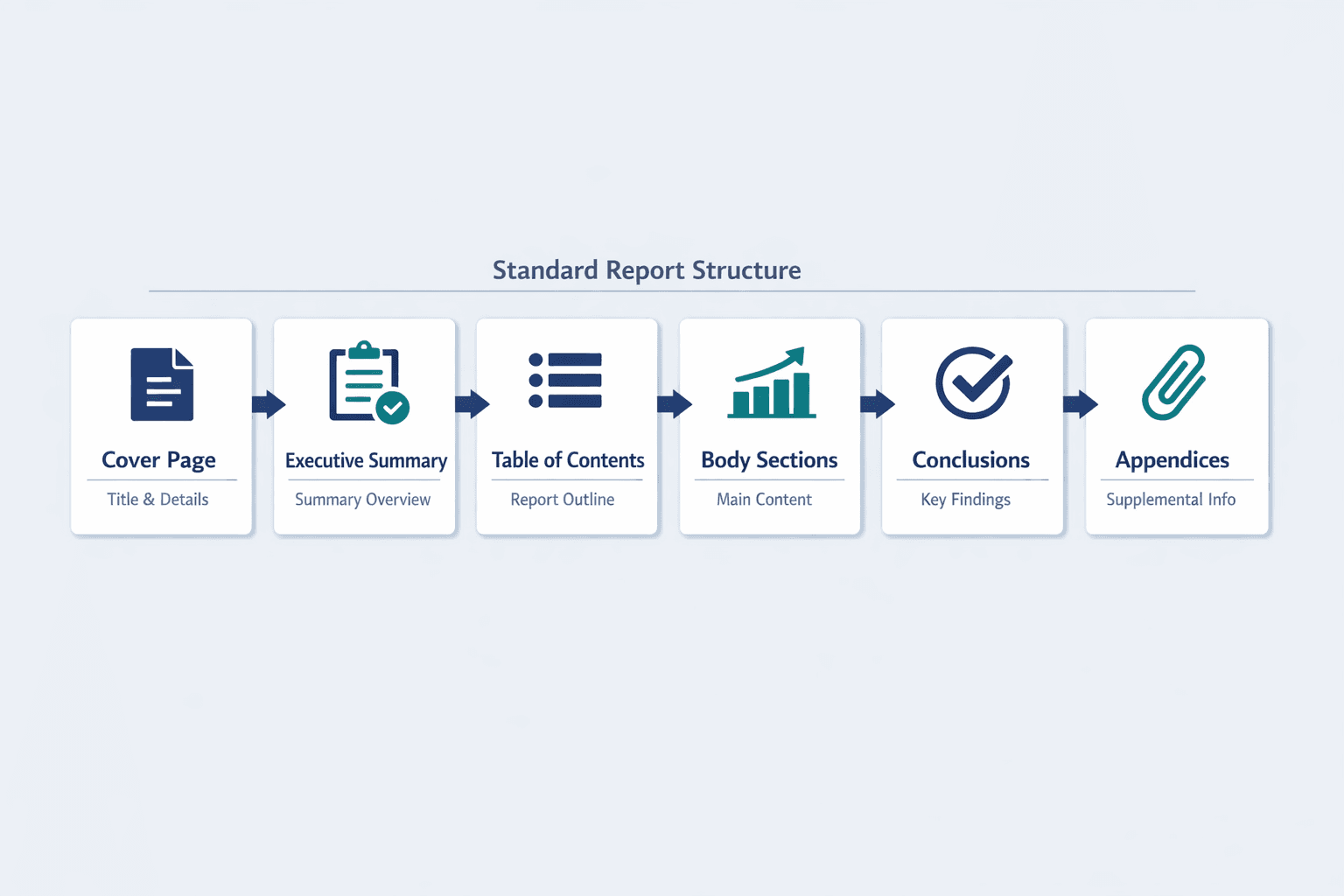
Most business report templates include:
- Cover page with report title, date, and author information
- Executive summary highlighting key findings upfront
- Table of contents for easy navigation
- Body sections organized by topic with clear headings
- Conclusions and recommendations based on the analysis
- Appendices for supporting data and detailed references
Templates differ from blank documents because they come with pre-built structure and formatting already in place. You’re not deciding how to organize sections or which fonts to use—you’re filling in content within a proven framework. Microsoft’s table-of-contents feature automatically updates when you use heading styles, which is exactly how good templates work: structure that adapts to your content.
Types of Business Report Templates
Different business scenarios require different report formats. A quarterly financial review looks nothing like a project status update—and that’s why templates exist for specific use cases.
Financial Report Templates
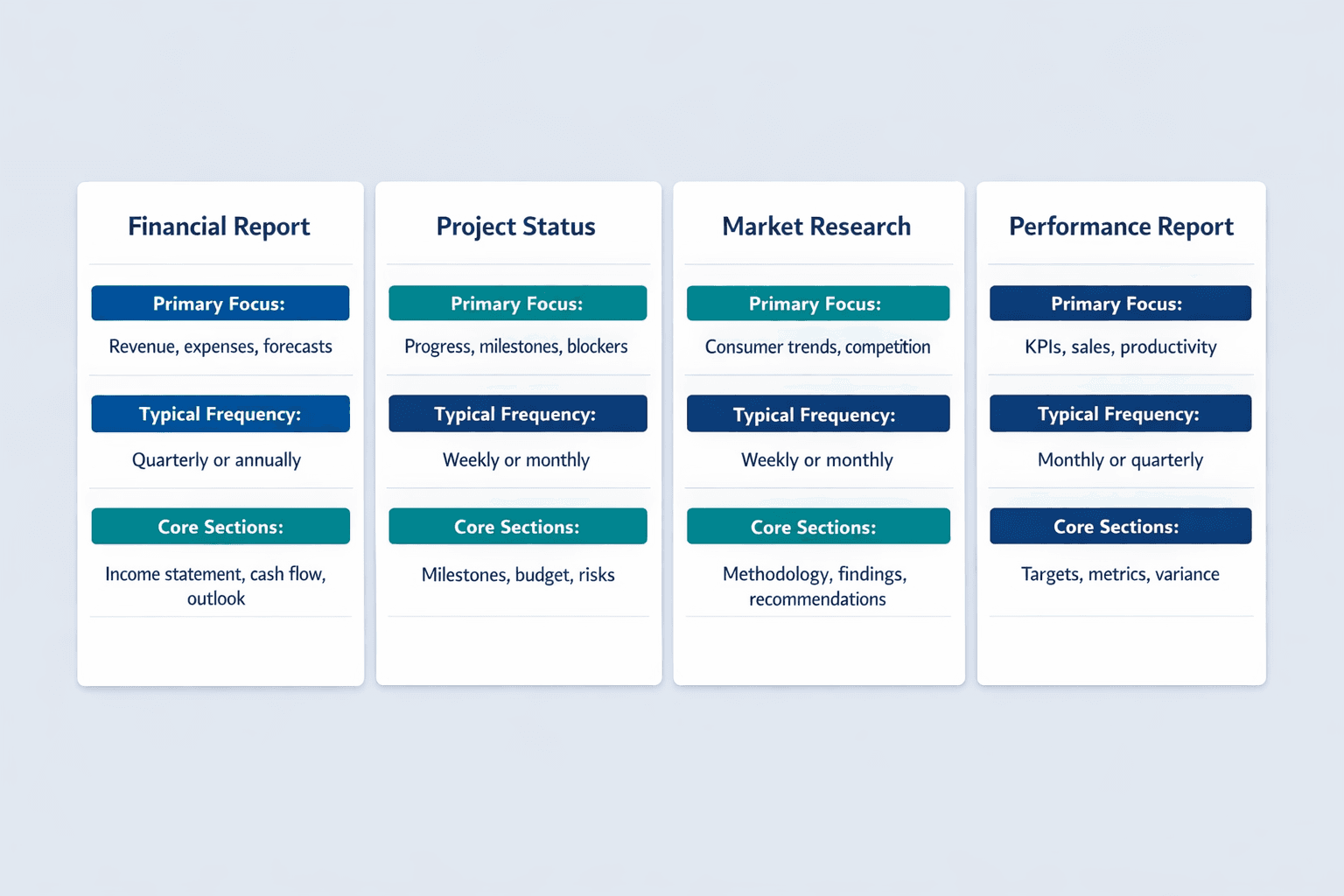
Financial report templates help you present revenue, expenses, budgets, and forecasts in a clear, consistent format. These templates typically include sections for income statements, balance sheets, cash flow analysis, and year-over-year comparisons.
Common financial report types:
- Quarterly financial reports for stakeholder updates
- Annual reports covering full-year performance and outlook
- Budget reports comparing planned vs. actual spending
- Financial analysis reports for strategic decision-making
The SBA’s 2025 Annual Report is a real-world example of how financial templates structure performance data, program outcomes, and year-in-review reporting for external stakeholders.
Project Status Report Templates
Project status templates keep stakeholders informed without requiring constant check-in meetings. Asana defines these reports as documents giving a high-level summary of a project’s current state—what’s on track, what’s blocked, and what’s coming next.
Key sections in project reports:
- Progress updates showing completed milestones and current phase
- Milestone tracking with dates and responsible team members
- Budget status comparing planned vs. actual spend
- Risk assessment identifying blockers and mitigation strategies
Asana recommends adjusting reporting frequency based on project pace: fast-moving projects need weekly updates, while long-term initiatives work fine with monthly check-ins.
Market Research Report Templates
Market research templates help you document consumer behavior, competitive analysis, and industry trends. The SBA notes that market research blends economic trends with consumer behavior to confirm and improve business ideas—specifically around demand, market size, and competitive positioning.
Typical sections:
- Methodology explaining research approach (surveys, focus groups, interviews)
- Findings presenting key data points and consumer insights
- Data analysis interpreting trends and patterns
- Recommendations for strategic action based on research
The SBA lists competitive analysis components like market share, strengths and weaknesses, and barriers to entry—all of which fit naturally into a market research template’s findings section.
Performance Report Templates
Performance report templates track business metrics against goals—whether that’s sales targets, employee productivity, departmental output, or KPIs. Asana notes that performance-oriented reports often include project metrics and key performance indicators to measure progress.
Common performance report types:
- Sales performance reports tracking revenue, deals closed, and pipeline health
- Employee performance reviews documenting achievements and development areas
- Departmental performance reports comparing team outputs to targets
- KPI tracking dashboards showing progress on key business metrics
Essential Elements of a Business Report Template
Every business report—regardless of type—should include a few core components. These sections make reports scannable, credible, and actionable.
Executive Summary Section
The executive summary is a condensed version of your full report that lets readers absorb the same information more quickly. Grammarly defines it as the front section that captures key points upfront so decision-makers can understand your findings without reading the entire document.
Elements to include:
- Key findings stated clearly in 2-3 bullet points
- Main conclusions drawn from the data
- Primary recommendations for action
- Critical data points that support your case
- Timeline or next steps if applicable
Grammarly notes that executive summaries are usually one to two pages long—short enough to read in five minutes but comprehensive enough to stand alone.
Data and Analysis Sections
The body of your report is where you present evidence, interpret findings, and build your case. Tableau recommends choosing the right visualization format based on your message and the questions the data should answer—one size does not fit all.
Best practices for presenting data:
- Use charts and graphs to make numbers easier to understand
- Include clear headings that preview each section’s content
- Present information in logical flow—start broad, then go detailed
- Provide supporting evidence for every major claim
Microsoft Learn notes that accessible reports require alt text for charts, images, and tables—a best practice often overlooked but essential for inclusive business reporting.
Conclusion and Recommendations
Strong reports end with clear, actionable conclusions. Grammarly says a conclusion should reiterate key points and leave the audience with a clear sense of what to do next.
Components to include:
- Summary of findings restated briefly
- Specific recommendations tied to the data
- Next steps with owners and deadlines
- Implementation timeline if relevant
Asana notes that quarterly status reports often include strategic recommendations alongside milestones and budget updates—making the recommendations section a natural extension of the analysis.
When to Use a Business Report Template
Templates are most valuable when you need to produce consistent, professional reports on a regular basis. Indeed explains that business reports help managers and executives make decisions—which means reports should be clear, structured, and repeatable.
Specific scenarios where templates save time:
- Quarterly business reviews for leadership teams
- Board presentations summarizing company performance
- Stakeholder updates on project progress or strategic initiatives
- Internal audits documenting compliance or operational reviews
- Project proposals outlining scope, budget, and timelines
- Feasibility studies evaluating new business opportunities
- Compliance reports required by regulators or industry standards
- Strategic planning documents setting multi-year goals
| Report Type | Best Used For | Update Frequency |
|---|---|---|
| Financial Report | Revenue, expenses, forecasts | Quarterly or annually |
| Project Status | Progress, milestones, blockers | Weekly or monthly |
| Performance Report | KPIs, sales metrics, productivity | Monthly or quarterly |
| Market Research | Consumer trends, competitive analysis | Annually or as needed |
| Compliance Report | Regulatory documentation | Annually or per audit cycle |
Asana recommends adjusting frequency based on project pace and stakeholder needs—weekly for fast-moving initiatives, monthly or quarterly for longer-term work.
How to Customize a Business Report Template
Templates provide structure, but you’ll need to adapt them to your specific business needs. Microsoft notes that heading styles let you reorganize documents and reformat design without manually changing each section—the key to efficient customization.
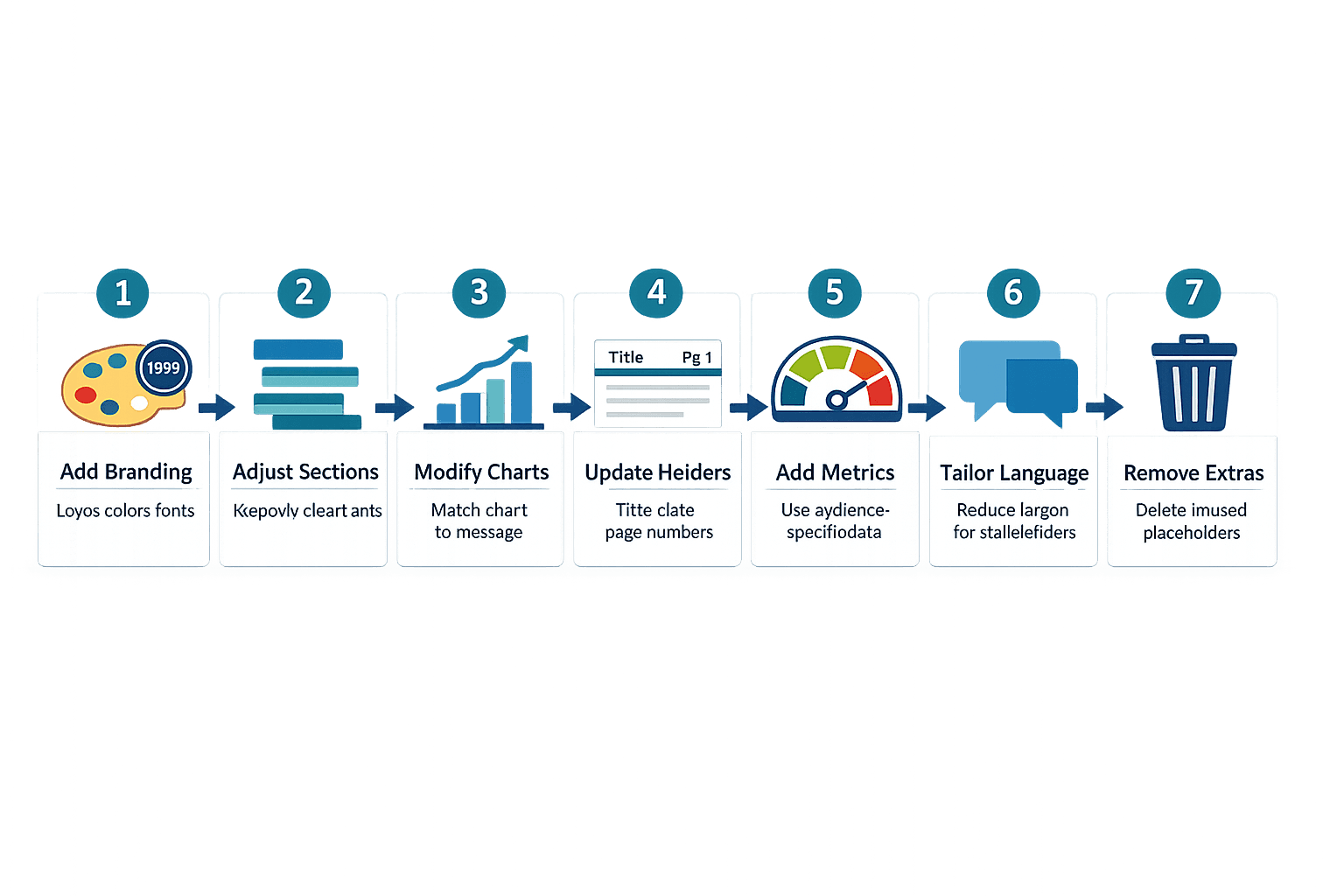
Steps for customization:
- Add company branding: Replace placeholder logos, colors, and fonts with your brand guidelines. Most templates let you update these elements once and apply them across all pages.
- Adjust sections for relevance: Remove sections that don’t apply to your report type. A project status report doesn’t need a competitive analysis section, and a market research report doesn’t need a budget tracker.
- Modify data visualization styles: Change chart types to match your data. Tableau recommends choosing formats based on what the data should communicate—bar charts for comparisons, line graphs for trends, pie charts for proportions.
- Update headers and footers: Include report title, date, page numbers, and confidentiality notices if applicable. Microsoft’s accessibility guidance recommends using built-in styles for consistency.
- Incorporate specific metrics: Add the KPIs and data points your audience cares about. Financial reports need different metrics than project reports.
- Tailor language for your audience: Internal reports can use company-specific terminology, but stakeholder reports should minimize jargon. Grammarly recommends keeping jargon to a minimum unless the document is strictly internal.
- Remove unnecessary sections: Templates often include placeholder sections you won’t need. Delete them to keep your report focused and scannable.
Templates work best when you maintain consistency across reports while allowing flexibility for specific use cases. The goal is repeatable structure, not rigid formatting.
Free Business Report Template Download
The free download includes multiple template formats compatible with the tools your team already uses. Templates are pre-formatted with heading styles, table-of-contents support, and placeholder sections ready for your content.
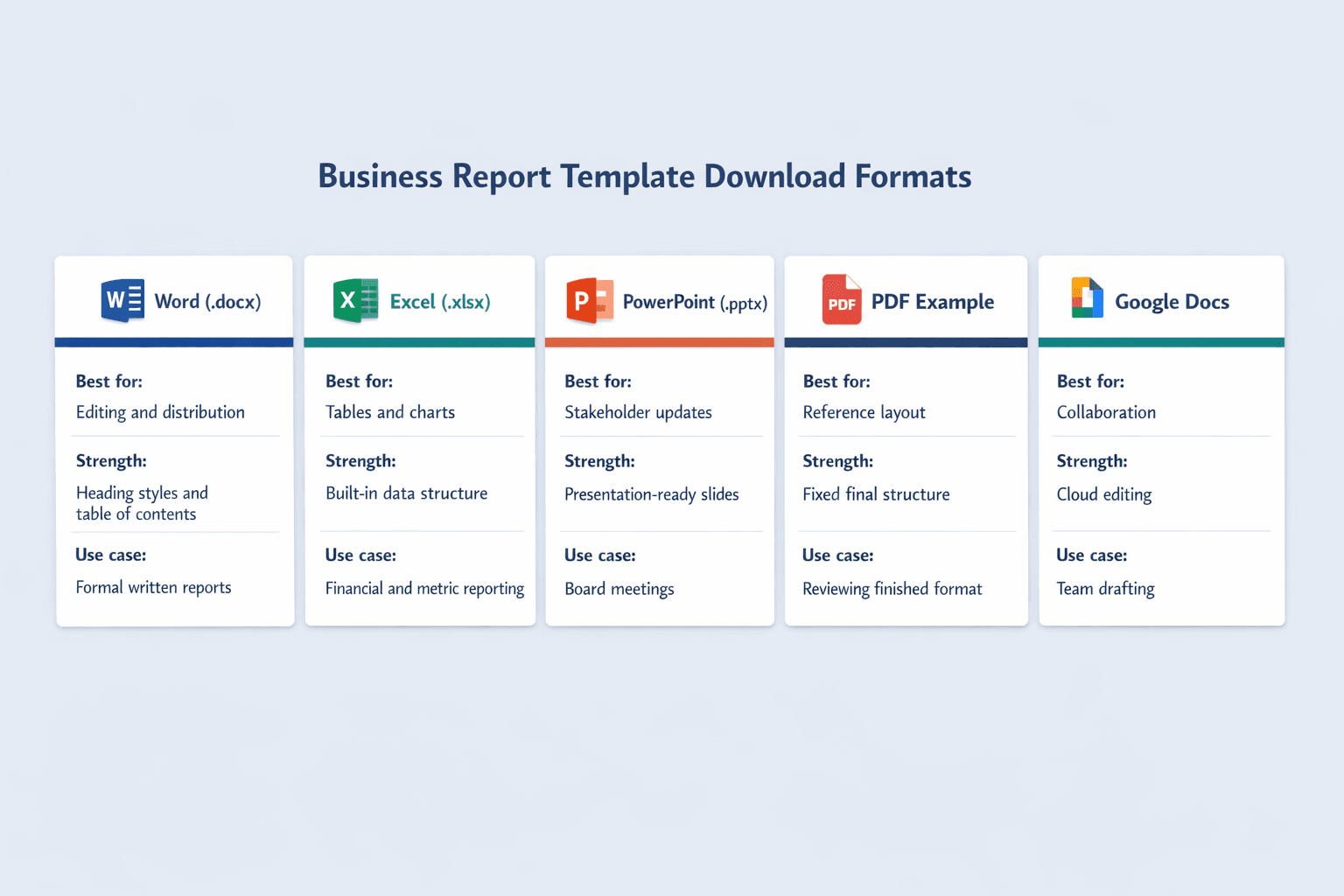
Template formats included:
- Microsoft Word document (.docx) for easy editing and distribution
- Excel spreadsheet (.xlsx) with built-in tables and chart templates
- PowerPoint presentation (.pptx) for board meetings and stakeholder updates
- PDF example showing completed report structure
- Google Docs version for cloud-based collaboration
Microsoft confirms that Word for Microsoft 365, Word 2024, Word for Mac, and Word for the web all support heading-based navigation and automatic table-of-contents creation—so these templates work across platforms.
To use the templates, download the format that matches your workflow, open it in your preferred application, and replace placeholder text with your content. The structure and formatting stay intact while you customize sections for your specific report.
Best Practices for Using Business Report Templates
Templates save time, but only if you use them correctly. Asana notes that regular status reporting reduces unnecessary check-ins and meetings by keeping stakeholders informed on a set cadence—which only works if reports are consistent and well-structured.
Key best practices:
- Maintain consistent formatting across all reports using the same template
- Update data regularly so reports reflect current information, not outdated numbers
- Tailor content to your audience—board presentations need different detail levels than internal team updates
- Use clear visualizations that make data easier to understand at a glance
- Proofread thoroughly before distribution—typos undermine credibility
- Include source citations for external data and statistics
- Keep language professional but readable—Grammarly recommends clear and concise business writing
- Focus on actionable insights, not just data dumps
Microsoft’s accessibility guidance adds that using built-in title, subtitle, and heading styles—plus adding alt text to visuals—makes reports accessible to everyone on your team.
Common Mistakes to Avoid
Even with templates, it’s easy to produce reports that look professional but fail to communicate effectively. Here’s what to watch out for:
Frequent mistakes:
- Using outdated data that no longer reflects current business conditions
- Overcomplicated formatting that makes reports hard to scan
- Ignoring audience needs—board members want summaries, not 20-page deep dives
- Including irrelevant sections just because the template has them
- Poor visual hierarchy where everything looks equally important
- Lack of clear conclusions—data without interpretation isn’t useful
Microsoft warns that if headings aren’t formatted as headings, entries will go missing from the automatic table of contents—a common formatting mistake that breaks report usability. Tableau adds that one size does not fit all for charts, so choosing inappropriate visualizations can obscure rather than clarify your message.
FAQ
What should be included in a business report template?
Essential components include a cover page, executive summary, table of contents, body sections with analysis, conclusions, recommendations, and appendices. The executive summary should be 1-2 pages and highlight key findings upfront. Body sections present data with clear headings and supporting evidence, while conclusions tie everything together with actionable next steps.
How long should a business report be?
Report length varies by purpose but typically ranges from 5-20 pages. Grammarly notes that executive summaries should stay under two pages regardless of full report length. Financial reports and compliance documents tend toward the longer end, while project status updates and internal briefings stay shorter and more focused.
Can I use the same template for different types of reports?
The basic structure can be reused, but sections should be customized for report type and audience. Indeed explains that there’s no single required format, but effectiveness depends on tailoring content to purpose. A financial report needs different sections than a market research report, even if both start with an executive summary.
What's the difference between a business report and a business plan?
Business reports analyze past or current data to inform decisions, while business plans outline future strategy and goals. Reports present findings and recommendations based on what already happened. Business plans project what should happen next and include implementation roadmaps, resource requirements, and growth targets.
How often should business reports be updated?
Update frequency depends on report type. Asana recommends weekly updates for fast-moving projects, monthly for standard initiatives, and quarterly for strategic reviews. Financial reports typically follow quarterly or annual cycles. Market research and compliance reports update annually or as regulations change.