How to Write an Executive Summary (Examples + Template)
You don't need to wade through templates or examples to write an executive summary. This guide shows you the exact structure, step-by-step process, and real examples that work.
Quick Verdict
An executive summary is a condensed version of a longer document that highlights key points for busy decision-makers. Think of it as a standalone document that saves executives time—it presents your conclusions, recommendations, and critical data upfront so they can make informed decisions without reading 50 pages.
Executive summaries appear at the beginning of business plans, project proposals, market research reports, and grant applications. They matter because decision-makers—investors, executives, review committees—often read only the summary before deciding whether to approve funding, greenlight a project, or dig into the full document. A weak summary means your hard work gets shelved unread.
This guide covers what an executive summary is, when to use one, how to structure it properly, a step-by-step writing process, real examples you can learn from, and a reusable template you can adapt for any document type.
What Is an Executive Summary
An executive summary is the opening section of a document that summarizes the entire content in 1-2 pages. It’s written last but appears first—right at the front of your business plan, proposal, or report.
The purpose is simple: let executives and decision-makers quickly understand the main points without reading the full document. According to the U.S. Small Business Administration, the executive summary should briefly tell the reader what your company is and why it will be successful.
Key characteristics of executive summaries:
- Standalone document — Readable and complete without the full report
- Written last but appears first — You need the full content before you can summarize it accurately
- Condensed version — Extracts only the most important points from each section
- Focuses on conclusions and recommendations — Not a teaser; it delivers the answers
- Targets busy executives — Assumes readers have limited time and zero patience for fluff
- Persuasive in tone — Designed to convince readers to approve, fund, or act
Executive summaries appear in business plans, project proposals, market research reports, white papers, and grant applications—anywhere a decision-maker needs to quickly evaluate whether your work deserves their time and resources.
Executive Summary Format
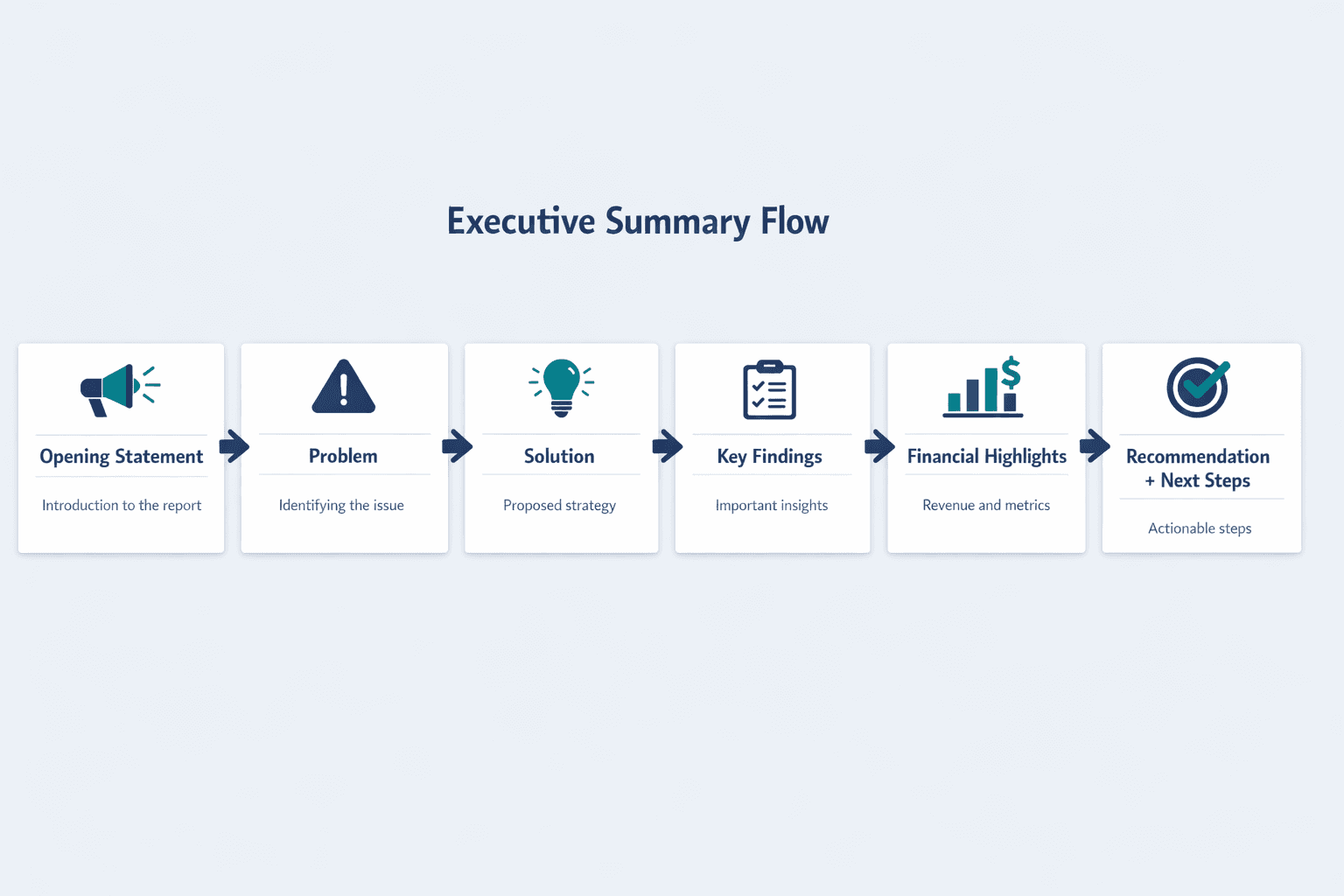
The standard structure follows this order: problem statement, solution, key findings, and call to action. Your executive summary should mirror the structure of the full document—if your report starts with the problem and ends with recommendations, your summary does too.
Core components that should appear in order:
- Opening statement or problem identification
- Proposed solution or project description
- Key findings or research results
- Financial highlights or resource requirements
- Conclusions and recommendations
- Next steps or call to action
Length and Proportions
Typical length is 1-2 pages for most business documents—roughly 5-10% of the full document length. A 20-page proposal needs a 1-page summary. A 50-page report can stretch to 2-3 pages.
Adjust length based on document type and submission requirements. Many government proposals cap executive summaries at one page, while NIH research applications limit project summaries to 30 lines of text. If your submission has strict limits, follow them—the 5-10% rule is a guideline, not a universal law.
Formatting Guidelines
Use these formatting best practices to make your summary scannable and professional:
- Use headers and subheaders to organize sections
- Include bullet points for lists of findings or recommendations
- Single-space text with white space between sections
- Use a professional font (11-12pt Arial, Calibri, or Times New Roman)
- Bold key numbers or critical findings
- Avoid jargon and technical acronyms
- Write in third person for formal documents (first person acceptable in some startup contexts)
- Keep paragraphs short—2-4 sentences maximum
How to Write an Executive Summary
Write your executive summary last, after completing the full document. Extract the key points from each section, then condense them into a cohesive narrative that stands alone. According to Grammarly, you cannot accurately summarize content that doesn’t exist yet—your conclusions may change as you write.
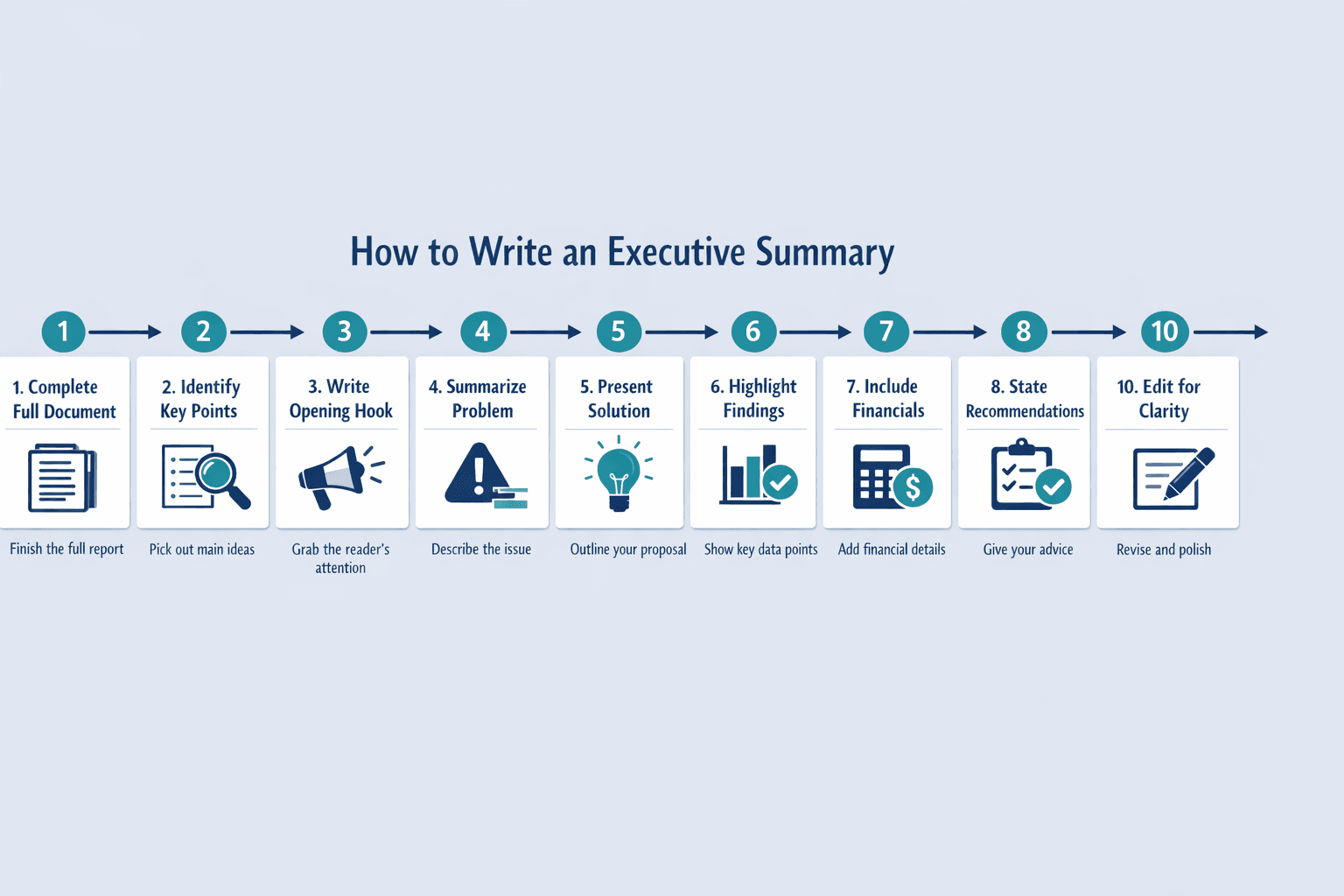
Step 1: Complete Your Full Document First
Write the executive summary after finishing the full document—you need complete content to accurately summarize findings and conclusions. Your analysis, data, and recommendations must be final before you can distill them into a summary.
Exception: In project management, you might draft an executive summary at the start to communicate scope for stakeholder approval. But for business plans, research reports, and most proposals, write the summary last.
Step 2: Identify Key Points from Each Section
Go through each major section of your document and highlight the most important takeaway, decision point, or finding. Don’t copy entire paragraphs—extract the single sentence that matters most.
What to extract from common sections:
- Introduction — The problem statement or opportunity
- Approach/Methodology — Overview of your solution or research method (one sentence)
- Results/Findings — The 2-3 most critical discoveries or outcomes
- Budget/Financials — Total costs, projected revenue, or ROI
- Conclusion — Your recommended actions
Step 3: Write the Opening Hook
Start with the problem, opportunity, or purpose immediately. Your first sentence should grab attention and tell the reader why this document matters.
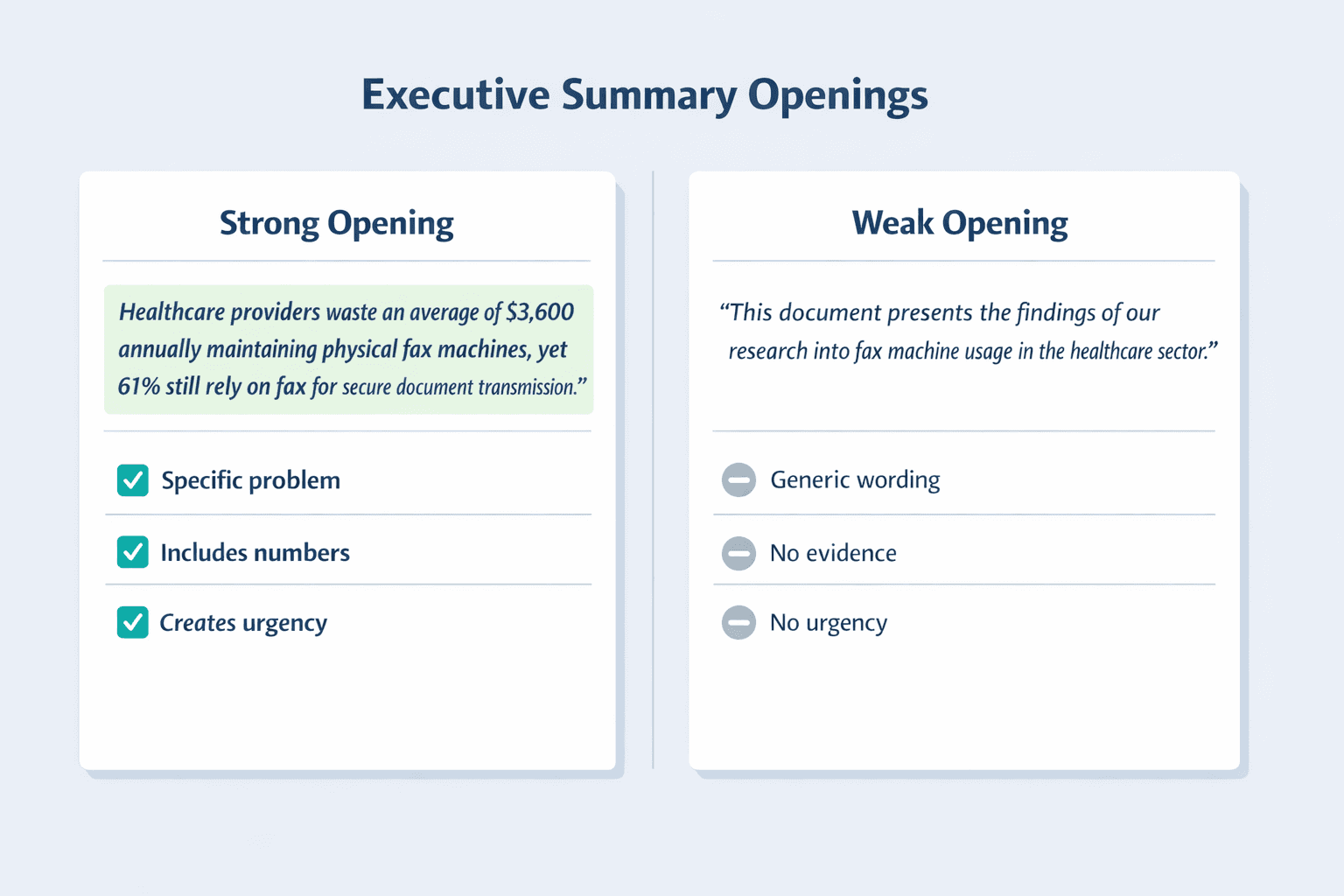
Strong opening:
“Healthcare providers waste an average of $3,600 annually maintaining physical fax machines, yet 61% still rely on fax for secure document transmission.”
Weak opening:
“This document presents the findings of our research into fax machine usage in the healthcare sector.”
The strong version states a specific problem with numbers. The weak version sounds like a table of contents.
Step 4: Summarize the Problem or Opportunity
Clearly articulate what issue needs solving or what opportunity exists. Include relevant context—why does this problem matter, and why does it matter now? According to current U.S. Department of State proposal guidelines, executive summaries should explicitly state the problem being addressed and provide evidence justifying the approach.
Keep this section to 2-3 sentences. You’re setting up the need for your solution—save the detailed analysis for the body of your document.
Step 5: Present Your Solution or Approach
Explain what you’re recommending, how it addresses the problem, and why this approach beats alternatives. The SBA recommends explaining how you solve the problem and why you are well positioned to do so.
This section should be 3-4 sentences. Be specific—don’t say “we will implement a new system,” say “we will migrate all fax communications to RingCentral Fax, reducing annual costs by 85% while maintaining HIPAA compliance.”
Step 6: Highlight Key Findings and Results
Focus on the most impactful numbers, trends, or discoveries that support your recommendations. Government proposal guidelines require quantifiable outcomes and impacts in executive summaries—this means specific numbers, not vague claims.
How to present findings effectively:
- Use specific numbers, not ranges — “$3,600 saved annually” beats “$3,000-$4,000 savings”
- Compare to benchmarks or goals — “15% above industry average”
- Highlight percentage changes — “Reduced processing time by 40%”
- Focus on business impact — “Freed up 10 hours per week for client work”
- Avoid raw data dumps — No tables of numbers; just the headline takeaways
Step 7: Include Financial Information
Present total costs, projected revenue, ROI, or budget requirements using clear figures. According to SBA guidance, summaries for banks should include recent annual sales and profitability—without going into exhaustive detail because full financials appear elsewhere.
Keep this to 2-3 sentences: “The project requires $125,000 in upfront investment and will generate $50,000 in annual savings, achieving payback in 2.5 years.”
Some formats put financial information near the beginning, especially in investment-focused documents where the ask is the most important decision point.
Step 8: State Your Recommendations
Clearly articulate what action you want readers to take. Make it specific and achievable—“approve $125,000 funding” is better than “consider this proposal.”
According to Asana, the executive summary is a decision-enabling document for stakeholders. Don’t hide your recommendation in vague language—state it directly.
Step 9: Define Next Steps
Outline immediate next actions, timeline, and what you need from the reader to move forward. Grammarly notes the conclusion should leave the reader with a clear sense of what to do next.
Example: “We request approval by March 15 to begin vendor selection. Implementation will take 60 days, with full rollout by June 1.”
Step 10: Edit for Clarity and Brevity
Cut unnecessary words, remove jargon, ensure every sentence adds value, and read aloud to check flow. Your executive summary should be tight—if a sentence doesn’t directly support a decision, delete it.
Editing checklist:
- Eliminate redundant phrases — “in order to” becomes “to”
- Replace complex words with simple alternatives — “utilize” becomes “use”
- Remove technical details better suited for the body — Save methodology for the full document
- Verify all numbers are accurate — Double-check every figure
- Ensure standalone readability — Someone should understand it without reading anything else
Executive Summary Example
Here are three real-world executive summaries showing how structure and style adapt to different document types.
Example 1: Business Plan Executive Summary
GreenTech Solutions — Solar Installation Services
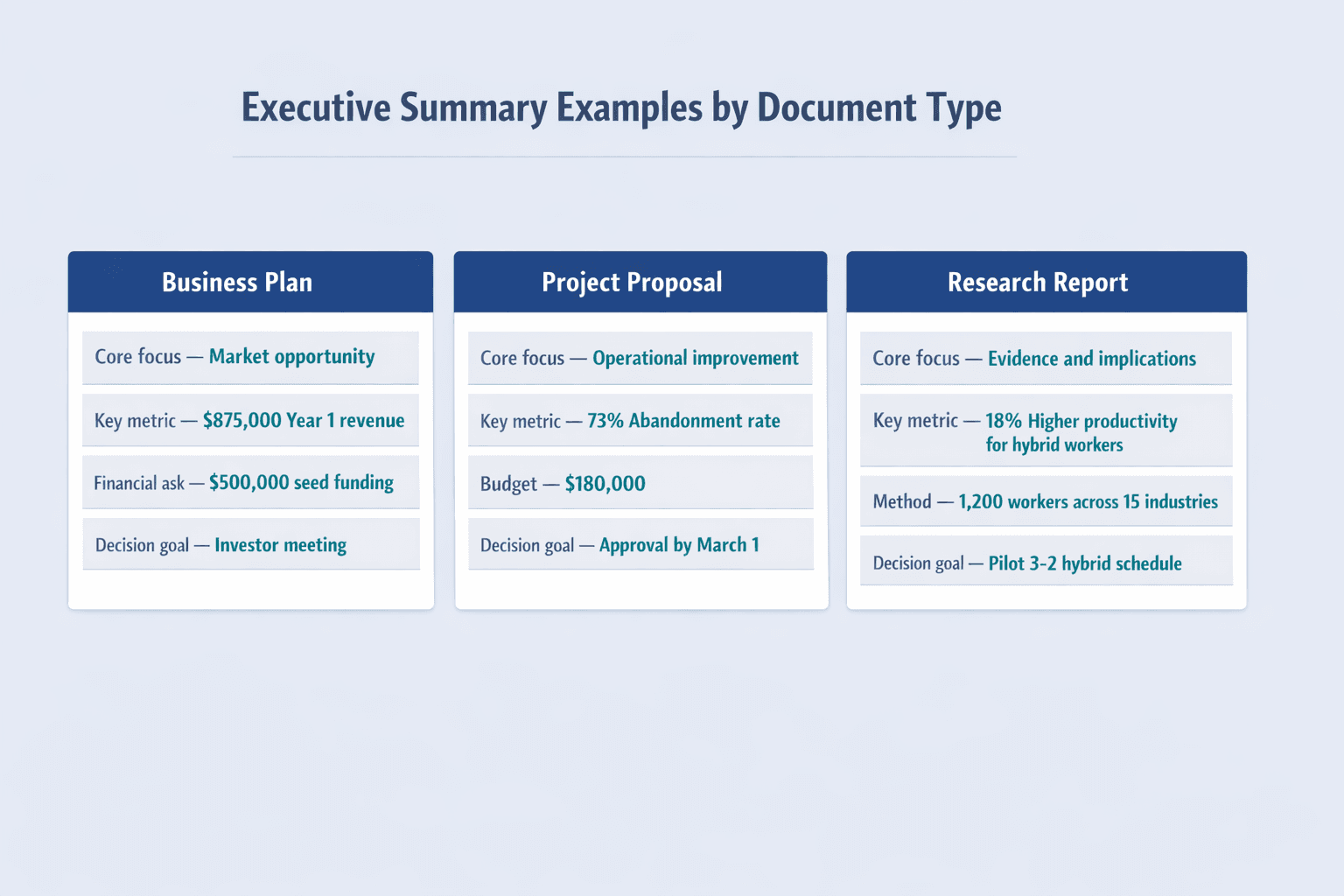
Commercial buildings waste an average of $12,000 annually on electricity costs that solar panels could offset by 70%. Yet only 18% of small businesses have adopted solar due to high upfront costs and installation complexity.
GreenTech Solutions provides turnkey solar installation for commercial properties under 50,000 square feet. Our lease-to-own model eliminates upfront costs, and our in-house installation team completes projects 40% faster than industry average—reducing disruption to business operations.
In Year 1, we project 25 installations generating $875,000 in revenue. Our contracts average $35,000 with 22% net margins. We’ve secured partnerships with three commercial property management firms representing 150 buildings in the Greater Boston area.
We are seeking $500,000 in seed funding to hire installation crews and purchase equipment. The funding will support 50 installations in Year 1, achieving profitability by Month 18.
Next Steps: We request a meeting to present detailed financials and our go-to-market strategy.
What makes it work: Opens with a concrete problem and market gap. Presents a clear solution with differentiation (lease-to-own model, faster installation). Includes specific revenue projections and a direct funding ask with expected timeline to profitability.
Example 2: Project Proposal Executive Summary
Customer Portal Modernization Initiative
Our current customer portal has a 73% abandonment rate and generates 200+ support tickets weekly. Customers report the interface is “confusing” and “outdated,” directly contributing to a 15% customer churn rate—costing the company $1.2M annually in lost renewals.
This project will redesign the customer portal using modern UX principles, consolidate three separate login systems into one, and add self-service tools that handle 80% of common support requests. The new portal will launch in Q3 2026.
Key deliverables:
- Redesigned interface with mobile-responsive design
- Single sign-on (SSO) integration
- Self-service knowledge base and ticket management
- Real-time usage analytics dashboard
Timeline: 16 weeks from kickoff to launch
Budget: $180,000 (design, development, QA, training)
Expected impact: 50% reduction in support tickets, 10-point increase in Net Promoter Score, estimated $600K annual savings
We request executive approval to proceed with vendor selection by March 1.
What makes it work: Quantifies the current problem (73% abandonment, 200 tickets/week, $1.2M cost). Lists concrete deliverables and timeline. Clearly states the approval request and next action.
Example 3: Research Report Executive Summary
Impact of Remote Work on Employee Productivity: 2025-2026 Study
We surveyed 1,200 knowledge workers across 15 industries to understand how remote work policies affect productivity, collaboration, and job satisfaction. The study ran from January 2025 to March 2026.
Key findings:
- Hybrid workers (3 days remote, 2 in-office) reported 18% higher productivity than full-time office workers
- Fully remote workers showed 12% productivity gains but 23% lower collaboration scores
- 67% of employees cited “fewer interruptions” as the top productivity driver for remote work
- Video meeting fatigue affected 81% of fully remote workers after 6+ months
Implications: Companies adopting hybrid models see the best balance of productivity and collaboration. Fully remote policies work for individual contributors but undermine cross-functional teamwork. Organizations should implement “meeting-free mornings” and asynchronous collaboration tools to combat video fatigue.
Recommendations: Pilot a 3-2 hybrid schedule in one department, measure results over 90 days, and scale based on productivity metrics and employee feedback.
What makes it work: States the research question and methodology upfront. Presents findings with specific percentages and data points. Offers clear implications and actionable recommendations rather than just listing results.
Executive Summary Template
Here’s a fill-in-the-blank framework you can adapt for any document type.
Universal Executive Summary Template
[Document Title] - Executive Summary
[Opening Statement — 1-2 sentences stating the purpose/problem]
Background/Context
[2-3 sentences providing essential context about why this document exists and why it matters now]
[Problem/Opportunity]
[2-3 sentences clearly defining the challenge or opportunity being addressed]
[Proposed Solution/Approach]
[3-4 sentences explaining what you’re proposing and how it solves the problem]
Key Findings/Results
- [Major finding #1 with supporting data]
- [Major finding #2 with supporting data]
- [Major finding #3 with supporting data]
Financial Overview
[2-3 sentences with specific costs, revenue projections, ROI, or budget requirements]
Recommendations
[2-3 sentences stating your specific recommendations for action]
Next Steps
- [Immediate action item #1]
- [Immediate action item #2]
- [Timeline or deadline information]
How to Use This Template
Follow these steps to adapt the template for your document:
- Replace all bracketed text with your specific content
- Adjust section order based on document type — investment proposals might lead with financial overview; research reports might emphasize findings over solution
- Remove sections that don’t apply — not every summary needs all nine components
- Keep total length to 1-2 pages (or your submission’s required limit)
- Maintain professional tone throughout
- Write in third person unless your industry or audience expects first person (common in startup pitch decks)
Common Executive Summary Mistakes to Avoid
Even experienced writers make errors that undermine executive summary effectiveness. Here are the most common pitfalls.
Common mistakes to watch for:
- Writing it before completing the full document — Your conclusions will change as you write
- Including too much detail or background — Save deep dives for body sections
- Exceeding appropriate length — If it’s 5 pages, no executive will read it
- Using jargon or technical language — Your audience includes non-experts
- Burying the main recommendation — State it directly, don’t hint
- Lacking specific numbers or data — “Significant savings” means nothing; “$3,600 annual savings” does
- Making it too generic — Tailor every summary to the specific document and audience
- Copying and pasting from body sections — Summarize and rewrite; don’t duplicate
- Failing to make it standalone — Readers should understand it without reading anything else
- Forgetting the call to action — Tell them what you want them to do
Writing It Too Early
Writing your executive summary before completing the full document is problematic because your conclusions may change as you write—you don’t yet know what key points will emerge. According to Grammarly, you cannot accurately summarize content that doesn’t exist yet.
Exception: Project management summaries are sometimes drafted early to communicate scope for stakeholder approval. But for business plans, research reports, and most proposals, write the summary last.
Including Too Much Detail
Executive summaries are for high-level overview—detailed explanations belong in body sections. If readers wanted to read 5 pages, they’d read the full document. Research on web readability shows users don’t want to read long blocks of text, which strongly supports trimming detail in executive summaries.
Keep it tight and focused—one paragraph per major concept, no more.
Making It Too Long
If your executive summary exceeds 2 pages for a business document (or your submission’s stated limit), it’s too long. Many research applications limit summaries to 30 lines of text, and government proposals often cap summaries at one page.
Remember: if readers wanted to read more, they’d read your full document. Respect their time.
FAQ
How Long Should an Executive Summary Be
Typically 1-2 pages or 5-10% of the full document length—never exceeding 10% regardless of document size. That’s the practical guideline for business plans, proposals, and reports.
But submission requirements often override this rule. NIH research applications limit project summaries to 30 lines of text. Government proposals frequently cap executive summaries at one page.
Length guidelines by document type:
- 10-page proposal — Half to one page
- 25-page business plan — 1-2 pages
- 50-page research report — 2-3 pages
- 100+ page report — Up to 5 pages maximum
- Government/academic submission — Follow stated limits exactly
What Should an Executive Summary Include
An executive summary should include the problem statement, proposed solution, key findings, financial information, recommendations, and next steps. Those six components cover most business and research contexts.
Essential components in order of appearance:
- Opening hook that states purpose or problem
- Brief background context (2-3 sentences maximum)
- Clear problem or opportunity definition
- Your proposed solution or approach
- Most important findings or results with data
- Financial overview — costs, ROI, budget requirements
- Specific recommendations for action
- Next steps with timeline
- Call to action telling the reader what to do
Optional elements you might include if critical to decision-making: brief methodology overview, competitive analysis summary, or risk assessment. But only add these if they genuinely strengthen your case—most summaries don’t need them.
What NOT to include: detailed explanations, full methodology, raw data tables, lengthy background history, multiple options without a clear recommendation, or anything that requires reading the full document to understand.